


Clinic pharmacy and stock managementStock leaves the shelf as doctors prescribe, earliest expiry first
Each branch keeps its own stock, received in lots with expiry dates. When the doctor sends the case, MORRU takes medicine from the lot that expires first and skips anything already expired. Items running low show as a count on the Inventory menu. Included in every plan, with the number of items per branch set by your plan.
Try for FreeLots and expiry dates
Receive stock in lots, and MORRU dispenses the earliest-expiring lot first
The lots page lists lots in the order they will be used, with total stock, what is still usable and near-expiry tags. Expired lots are never dispensed, doctors can't prescribe an item whose only stock has expired, and the drug label prints the expiry of the lot actually dispensed.
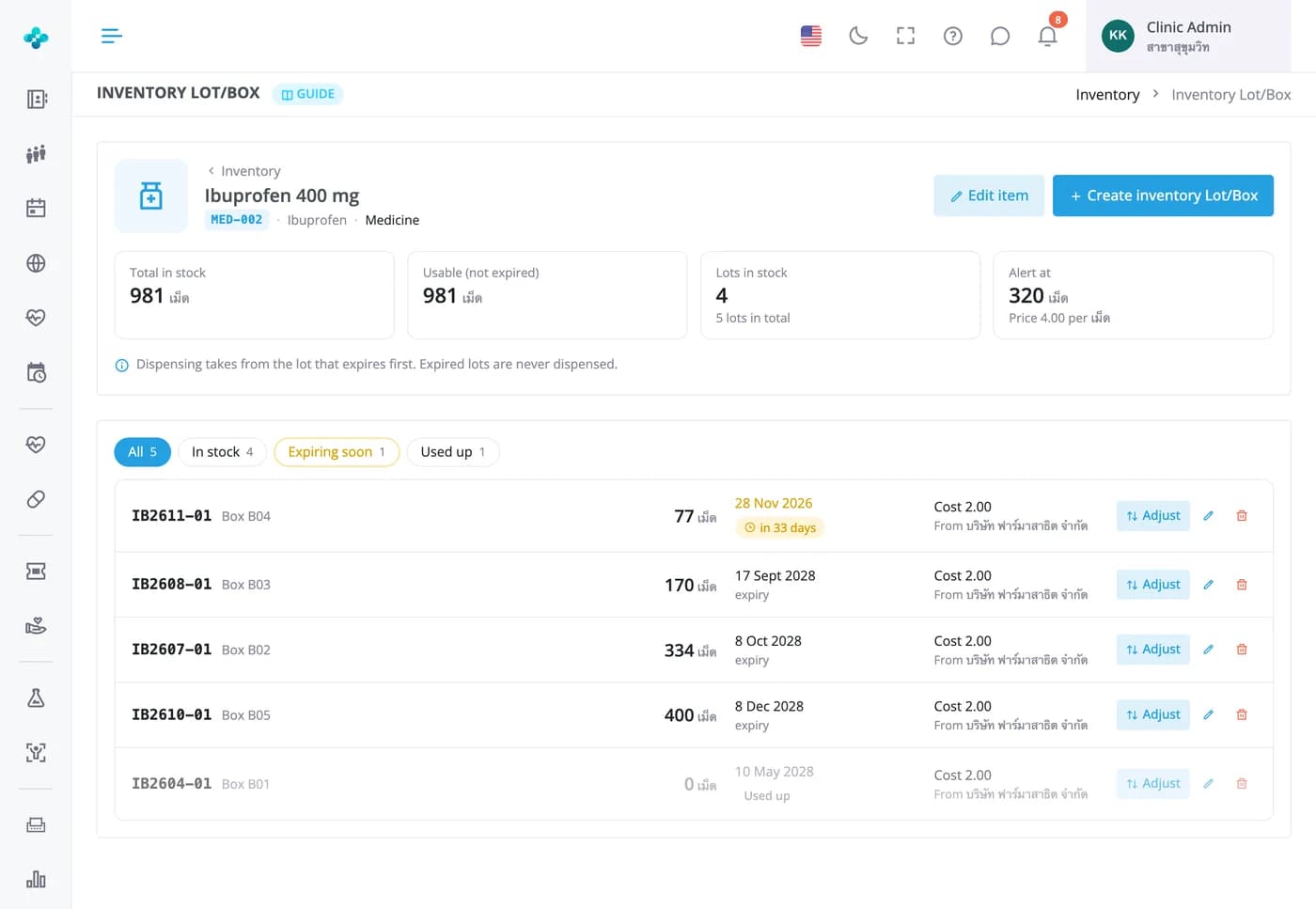
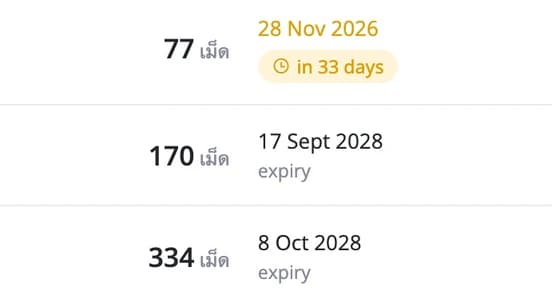

Stock leaves the shelf as doctors prescribe, earliest expiry first
Each branch keeps its own stock, received in lots with expiry dates. When the doctor sends the case, MORRU takes medicine from the lot that expires first and skips anything already expired. Items running low show as a count on the Inventory menu. Included in every plan, with the number of items per branch set by your plan.
Running low
Set an alert level per item, then see what to reorder in one click
Filters for running low, out of stock and lots expiring within 90 days show their counts on the button, counting only stock that hasn't expired. The same count sits on the Inventory menu and the home-page card, and the reorder list downloads to Excel.
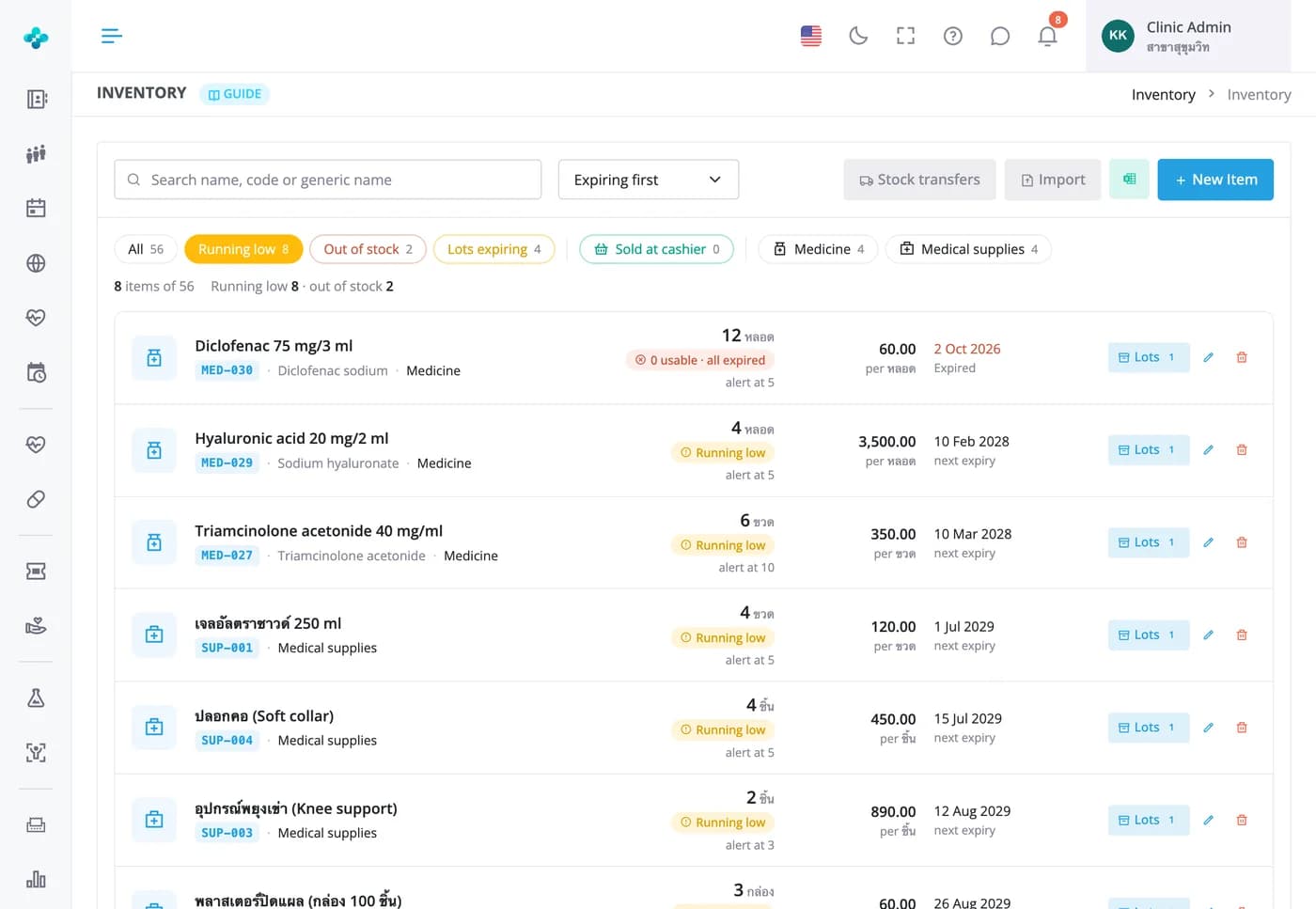

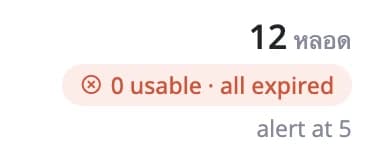
Sell at the cashier
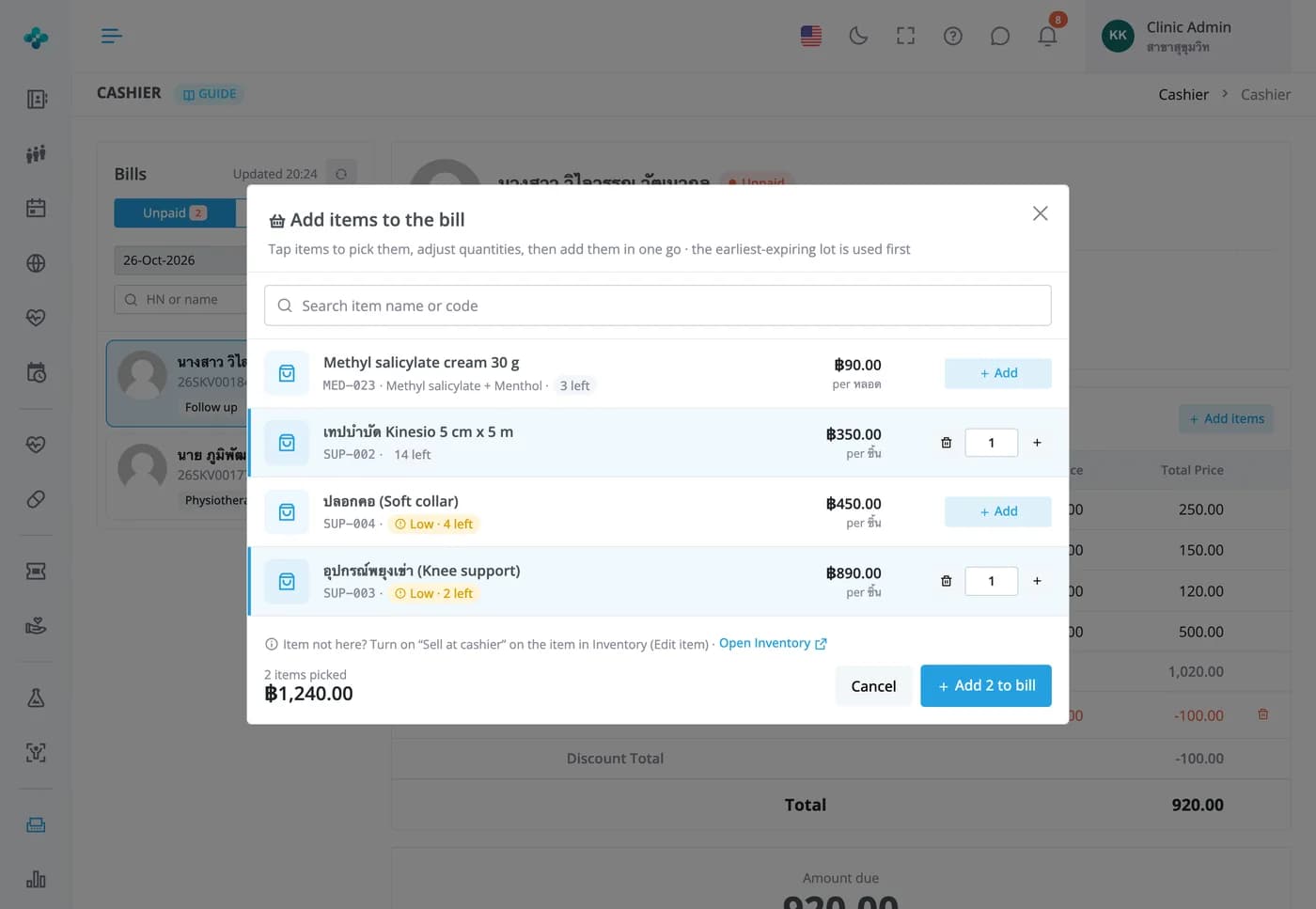
Add a brace or a cream to the bill without going back to the exam room
Switch on Sell at cashier for your retail items. The cashier taps Add items, picks several items with quantities and adds them to the bill at once, while MORRU picks the earliest-expiring lots and deducts what was actually sold.


Frequently Asked Questions
When the doctor sends the case. MORRU takes from the earliest-expiring lot and skips expired lots (a lot expiring today counts as expired). If the case is sent back for changes, or the cashier removes a medicine from the bill, the stock goes back automatically.
Each item has an alert level. Once its usable quantity reaches that level, it appears under the Running low filter, in the count on the Inventory menu and on the low-stock card on the home page. Only staff with access to the Inventory menu see it, and no email or message is sent.
Use Adjust on that lot, choose add or remove, and pick a reason such as expired, damaged or count short. Every adjustment appears in the stock history with the before and after quantity and who made it. From the Starter plan up, a stock write-off report totals them by reason at lot cost.
Yes. Stock is kept per branch, and clinics with more than one branch get a Transfer stock button on the Inventory page. The sending branch picks lots and quantities on a transfer note, the receiving branch accepts it, and either side can cancel or reject. Multi-branch plans are Basic and Advanced.
Yes. Download the Excel template, fill in your items, prices and opening stock by lot, and MORRU checks every row before saving. A whole import can be undone. You can also install a starter medicine list in one click and receive stock into lots.
Per branch: 50 on the Free plan, 300 on Starter, 1,000 on Basic and 9,999 on Advanced. When you reach the limit, the New Item button turns grey. The stock value report at cost and the write-off report are available from the Starter plan up.