


Clinic lab ordersOrder labs from the case, then enter, approve and print one report for the whole visit
Orders reach the lab list the moment the doctor sends them, one card per case. Results are checked against the patient's sex-specific reference ranges and flagged high, low or critical as you type, and the ordering doctor gets a bell notification once results are approved. Included in every plan.
Try for FreeLab result entry
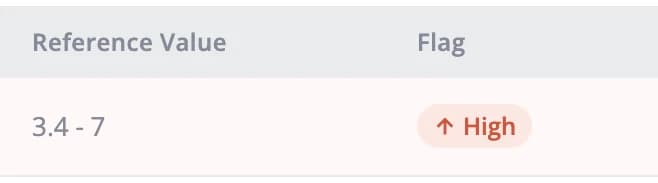
See high, low and critical values as you enter them
Reference ranges follow the patient's sex and the flag updates as you type. Press R to mark a repeat test. The step bar shows who entered, reported and approved each result and when, and you can attach a PDF from an outside lab in the same window.
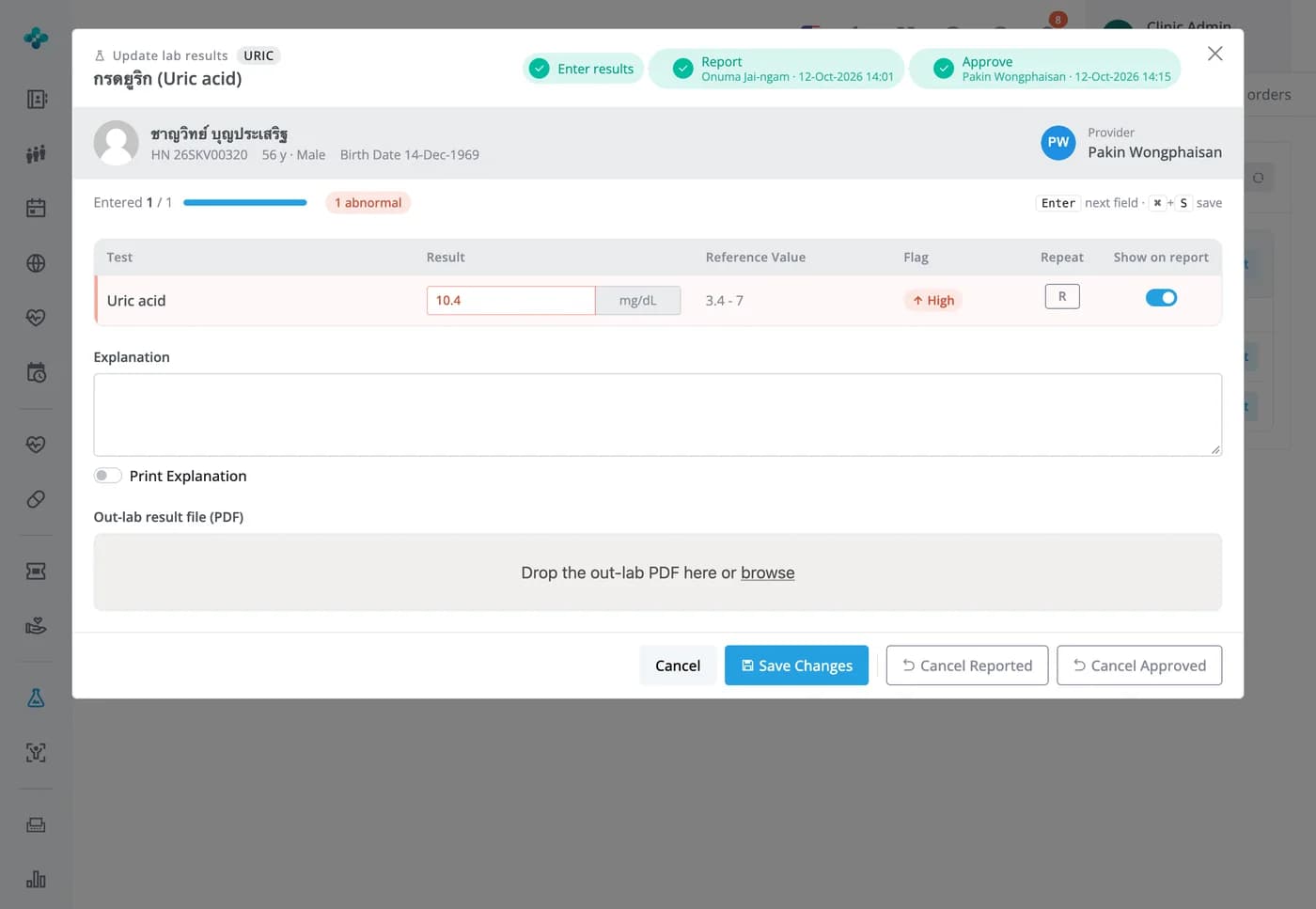

Order labs from the case, then enter, approve and print one report for the whole visit
Orders reach the lab list the moment the doctor sends them, one card per case. Results are checked against the patient's sex-specific reference ranges and flagged high, low or critical as you type, and the ordering doctor gets a bell notification once results are approved. Included in every plan.
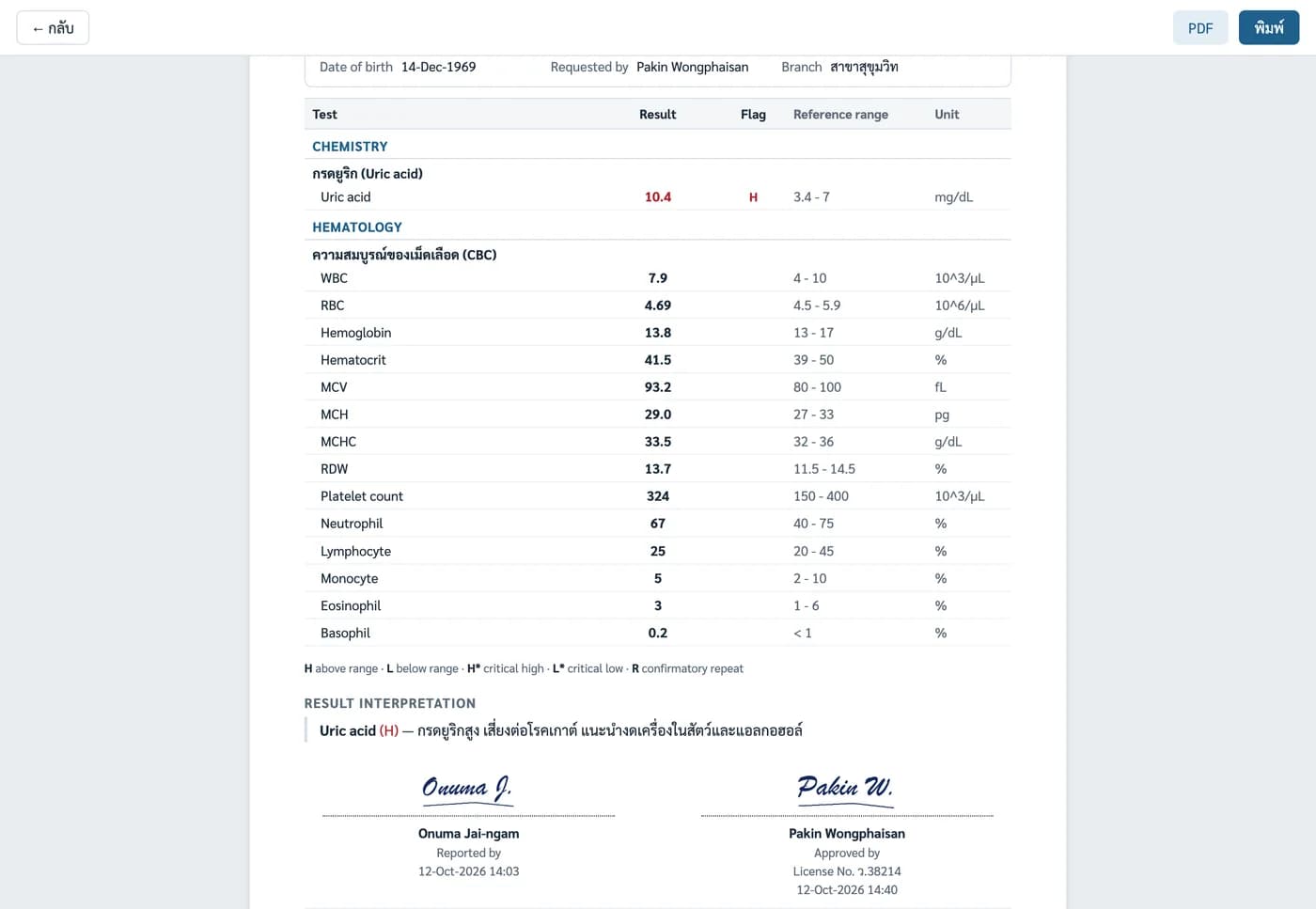
Lab report
One A4 report for every lab in the visit, signed by the reporter and approver
Results are grouped by lab type: highs in red with H, lows in blue with L, and critical values shaded red across the row. Interpretation text you've set up prints under the table. Print it, or open it as a PDF to send to the patient.


Lab catalog
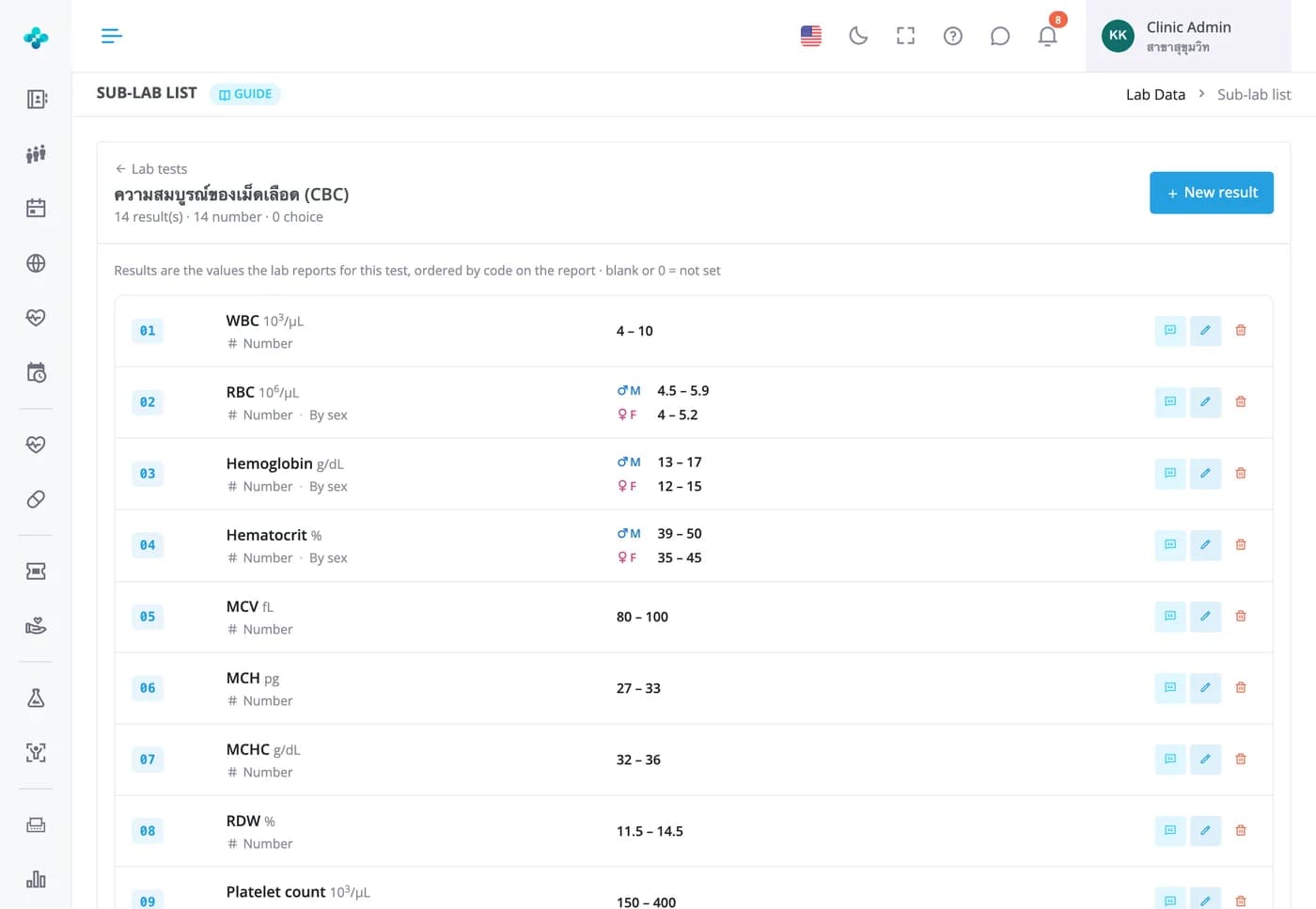
Set up your own tests, result items, sex-specific ranges and critical values
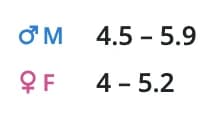
Each test has a price, cost, collection tube and turnaround time. Result items can be numeric or a pick list, with separate male and female ranges. New clinics can install a starter set and add their own prices, and reports already issued keep the ranges in force when results were entered.

Frequently Asked Questions
When the lab approves results or marks them done, the ordering doctor gets a Lab result ready notification on the bell, or Abnormal lab result if anything is above or below range. The lab tab in the case also has a View results button that opens the report straight away.
The doctor picks all the tests and presses Send to lab once, so the lab gets one notification for the whole set. Today's unfinished orders are counted on the dashboard's pending lab and imaging card, and tube labels print from the case card.
No. The range in force when the result was entered is stored with it, so a reprinted report shows the same values until someone opens that result and saves it again.
Yes. Enter the values in the result window as usual and attach the outside lab's PDF to that test. The file counts toward your plan's storage.
No. Download the Excel template for your health-check package, fill in one row per person, and import it under Settings › Lab Import. The system creates a case, reported and approved results, and a paid bill for everyone. Check the preview carefully first, because an import can't be undone.
Every plan: Free, Starter, Basic and Advanced, including importing results from Excel.