


Electronic medical records (EMR)Record symptoms, examination and ICD-10 diagnoses in S-O-A-P order on one tab
Every time a case opens, the patient's chronic conditions and drug allergies appear before the exam. Doctors can reuse the last visit's diagnosis or treatments, mark symptoms on a body chart, and print a full or patient-copy summary as a PDF. Included in every plan.
Try for FreeMedical record tab
Code the diagnosis in ICD-10 with allergies always in view
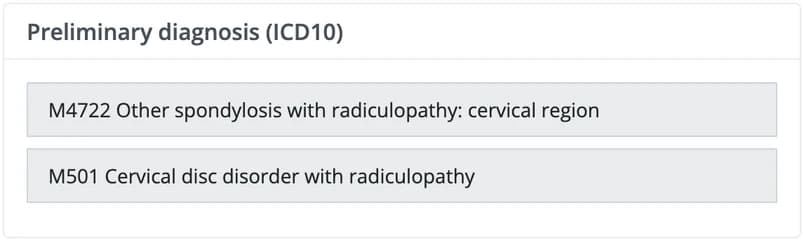
Search ICD-10 by code or English disease name and add as many codes as the case needs. Allergies and chronic conditions stay pinned to the case header on every tab, and the plan section lists everything ordered in the case: medication, lab, imaging and the next visit. For returning patients, reuse only the parts you pick from the previous visit.
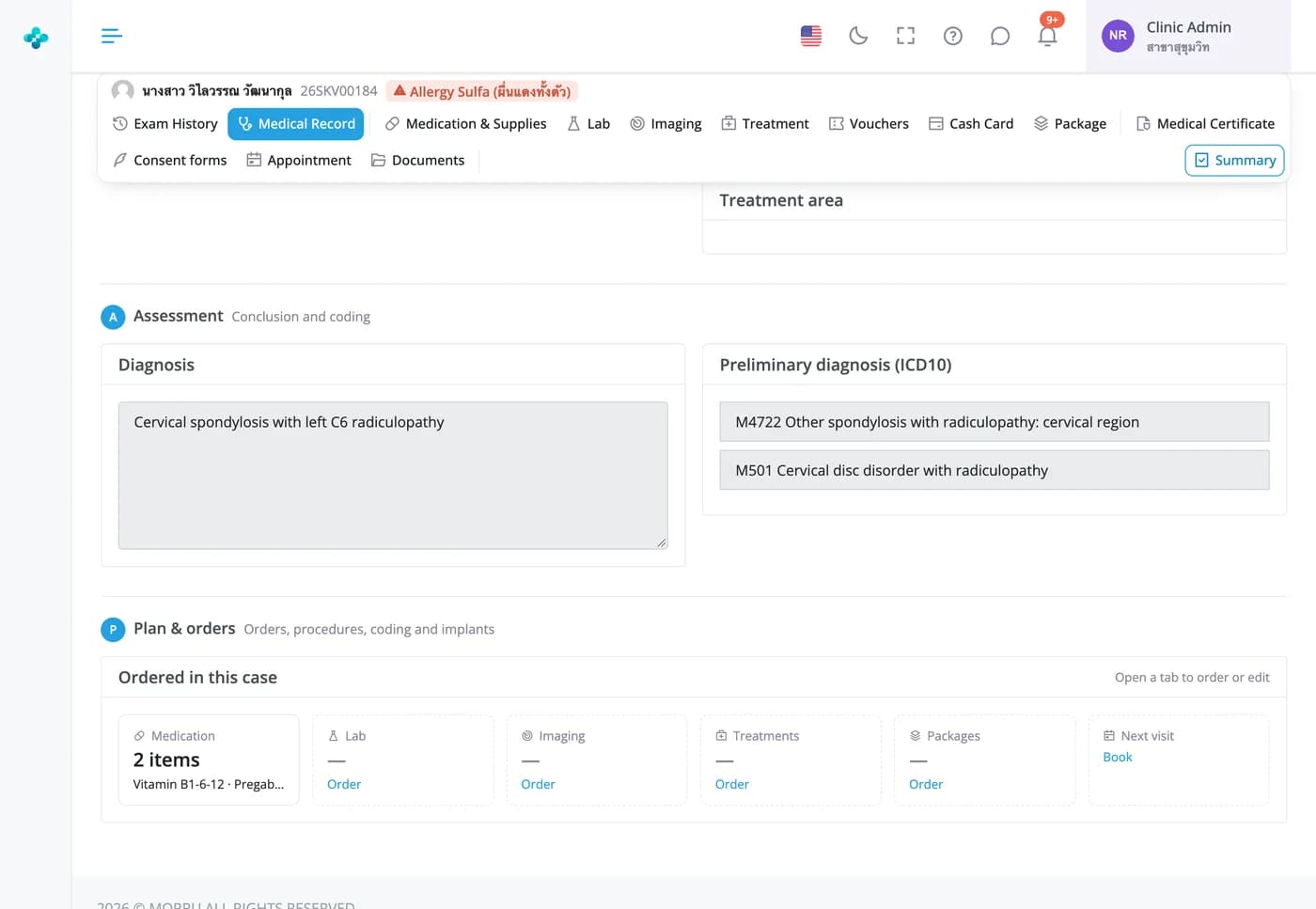

Record symptoms, examination and ICD-10 diagnoses in S-O-A-P order on one tab
Every time a case opens, the patient's chronic conditions and drug allergies appear before the exam. Doctors can reuse the last visit's diagnosis or treatments, mark symptoms on a body chart, and print a full or patient-copy summary as a PDF. Included in every plan.
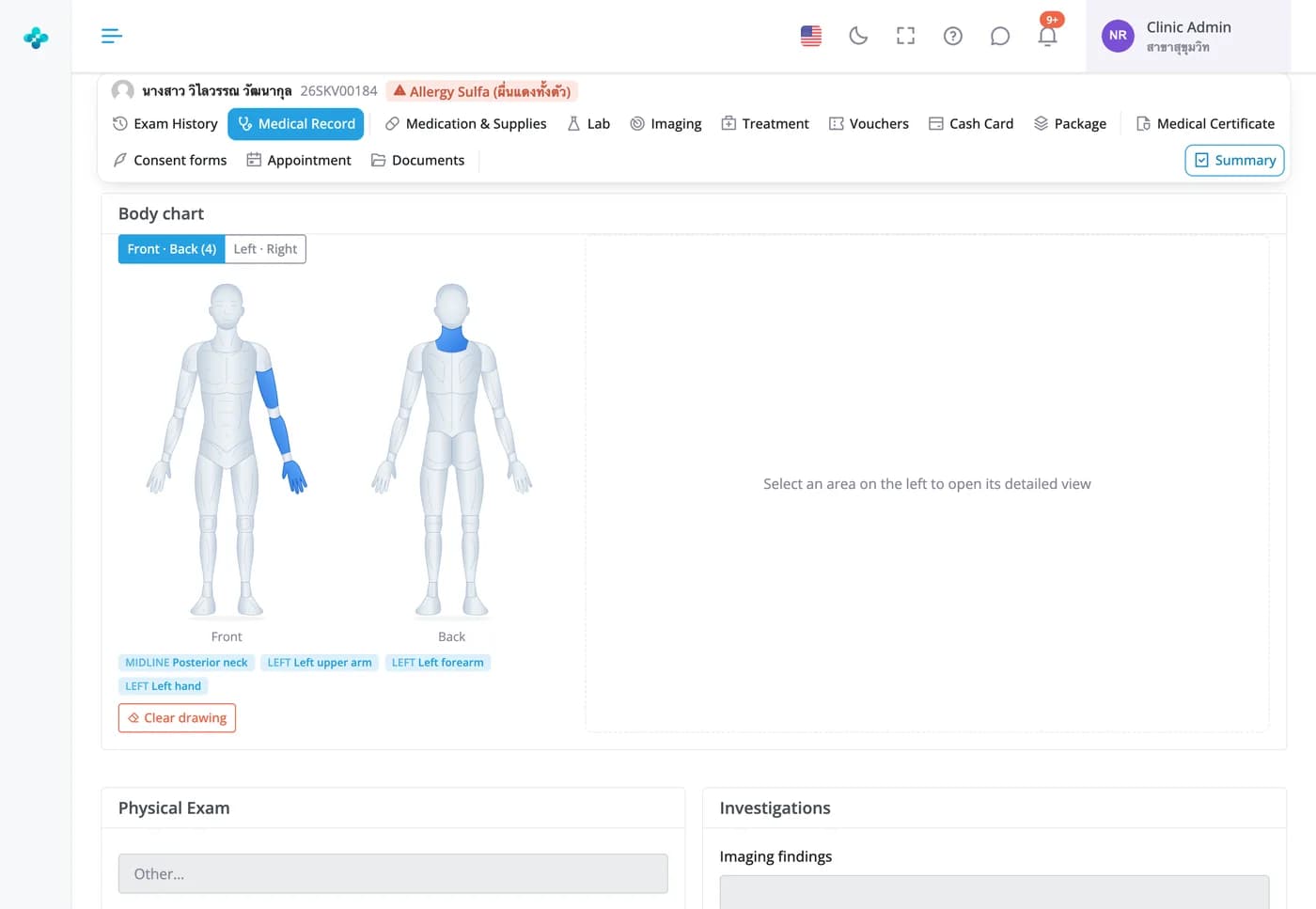
Body chart
Mark where it hurts, down to individual muscles
Tap areas on the front, back, left or right views and choose symptoms such as pain, tightness, numbness or pain radiating down the leg. A zoomed view pinpoints muscles, tendons or bones on the patient's side, you can draw over the figure, and marked areas appear on the printed summary.

Clinical images
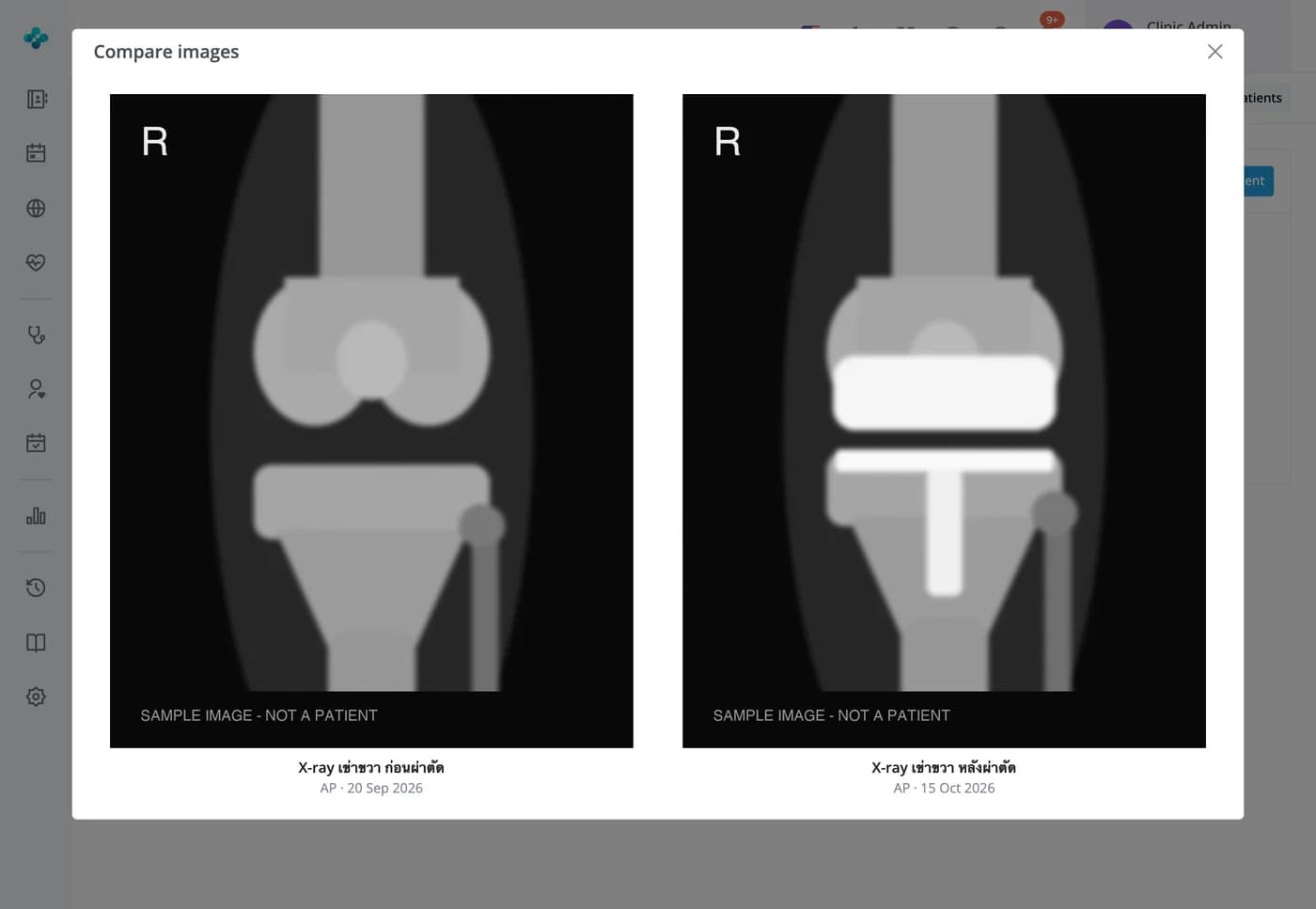
Keep X-rays and clinical photos with the patient, and compare before and after
Attach several images at once with the date taken and the view, such as AP or lateral. The gallery shows every image as a thumbnail; tick two and press Compare to see them side by side. Files open only for signed-in staff of your clinic, with no public links.
Frequently Asked Questions
The patient registry searches by name, HN, the HN from your previous system, phone number or email. Phone and national ID numbers are also checked when you register a patient, so you're warned before creating a duplicate.
A chronic disease and allergy box appears every time a case opens. When prescribing, the system checks the patient's allergies at drug-class level, so an allergy to penicillin flags amoxicillin, and it asks again before the case is sent. Allergies recorded without a drug name may not trigger a warning, so doctors should still read the allergy note on the case header.
Each branch chooses which sections appear on its exam page, and accounts with a specialty module such as orthopaedics or physiotherapy get that module's sections too. For returning patients, the doctor can pull the previous diagnosis, history, exam findings or treatments into today's case. Nothing is copied until the doctor presses the button.
Yes. The exam history tab has a Full report for the clinic file, with the body chart and every order, and a Patient copy with the diagnosis, ICD-10 codes, medicines with directions, and procedures. Both open as PDFs to print or download.
The outcome trend card on the exam history tab shows the pain score from each visit as a chart or table, in every plan. The ODI, NDI, QuickDASH, KOOS and Oxford Knee Score questionnaires come with the orthopaedics module.
You can save as often as you like during the exam and keep editing until the case is sent for payment. To change it after that, a nurse or cashier sends the case back first; bills that have already been paid can't be sent back.