


X-ray and imaging ordersOrder X-ray, ultrasound, CT or MRI from the case, and open the report and images from the same case
Each branch sets up its own imaging list with prices and costs. Staff enter the findings, attach images or reports up to 50 MB per file and print the report, and the ordering doctor gets a bell notification when it's done. Included in every plan.
Try for FreeImaging orders
Doctors' orders reach the imaging room at once, one card per case
The doctor picks the items and fills in the request form in the case, then sends them in one go. The imaging room sees each order with the ordering doctor, sets it to in progress, done or cancelled, and prints the sticker and the report from the same card. Filter by status or search by name, HN or phone.
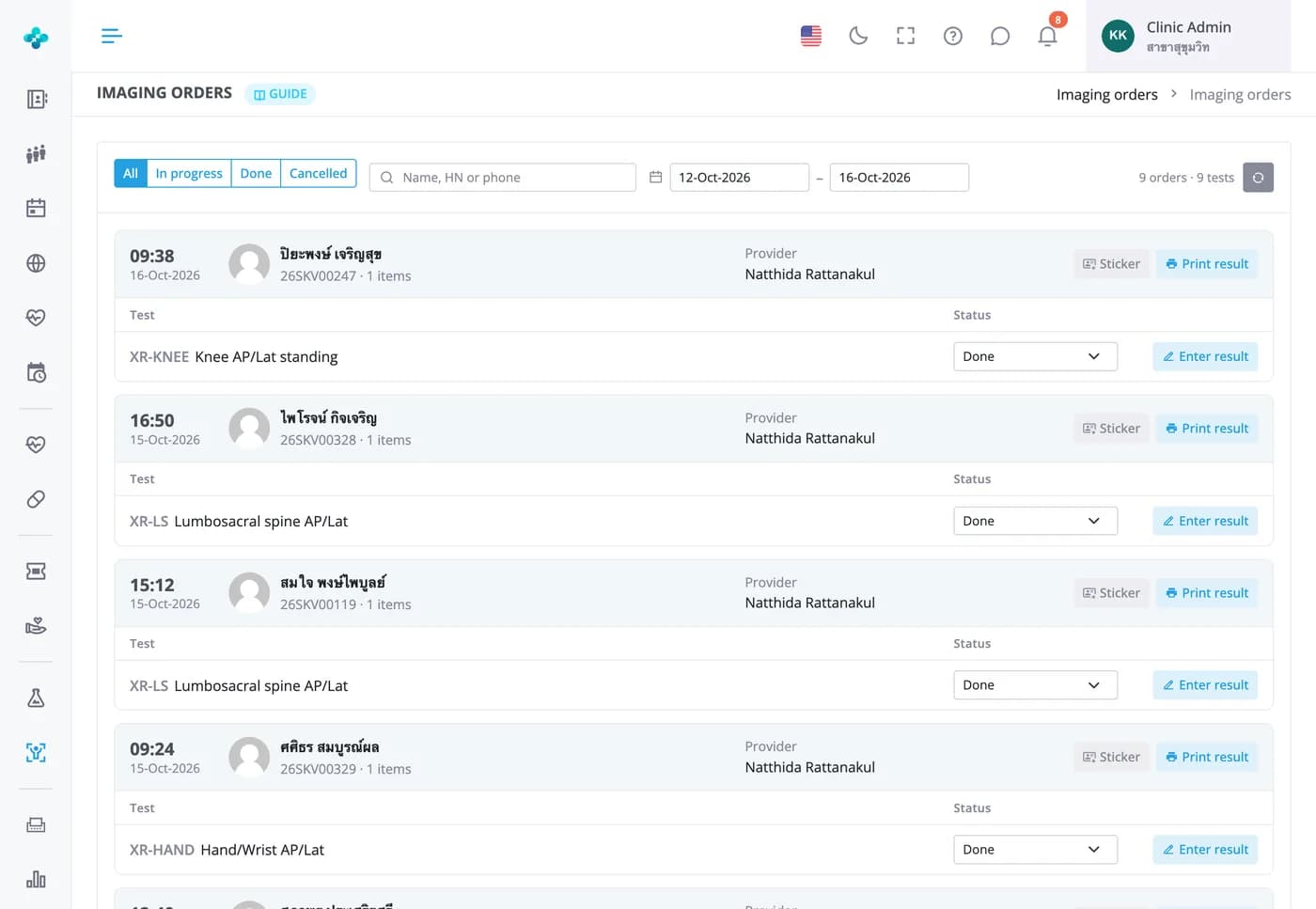


Order X-ray, ultrasound, CT or MRI from the case, and open the report and images from the same case
Each branch sets up its own imaging list with prices and costs. Staff enter the findings, attach images or reports up to 50 MB per file and print the report, and the ordering doctor gets a bell notification when it's done. Included in every plan.
Imaging result entry
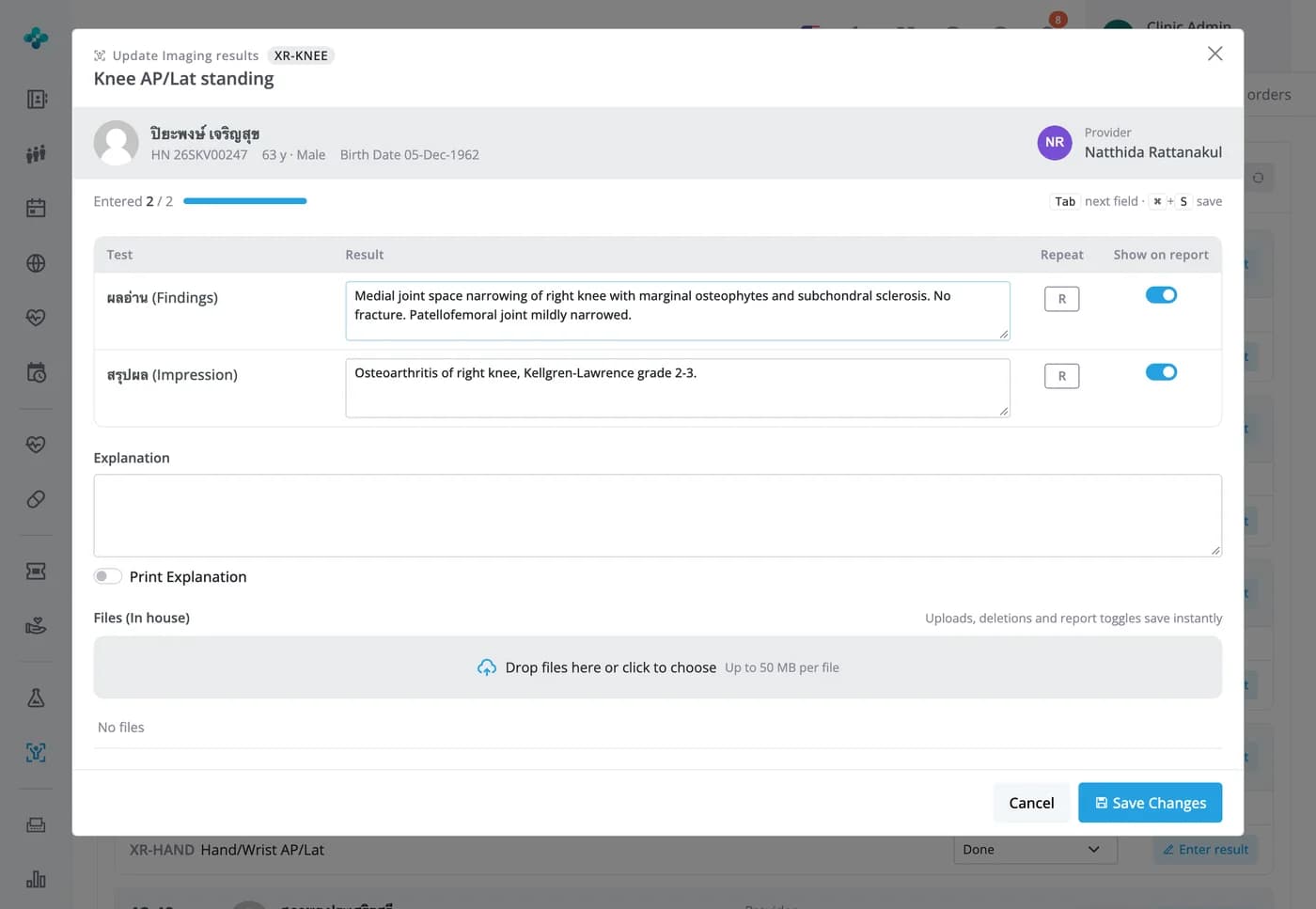
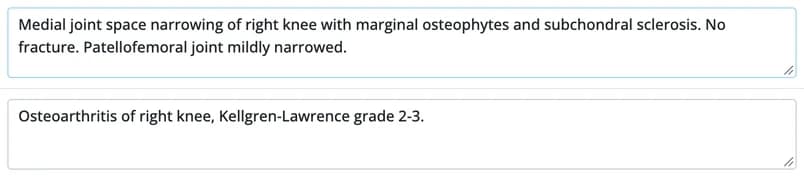
Enter the findings and impression, and attach images or reports to the order
Result fields follow your setup, such as Findings and Impression, and grow with the text. Choose which rows print on the report and drop in files up to 50 MB each. Doctors open them with Result files in the case, and marking the order Done notifies the ordering doctor.
Imaging catalog
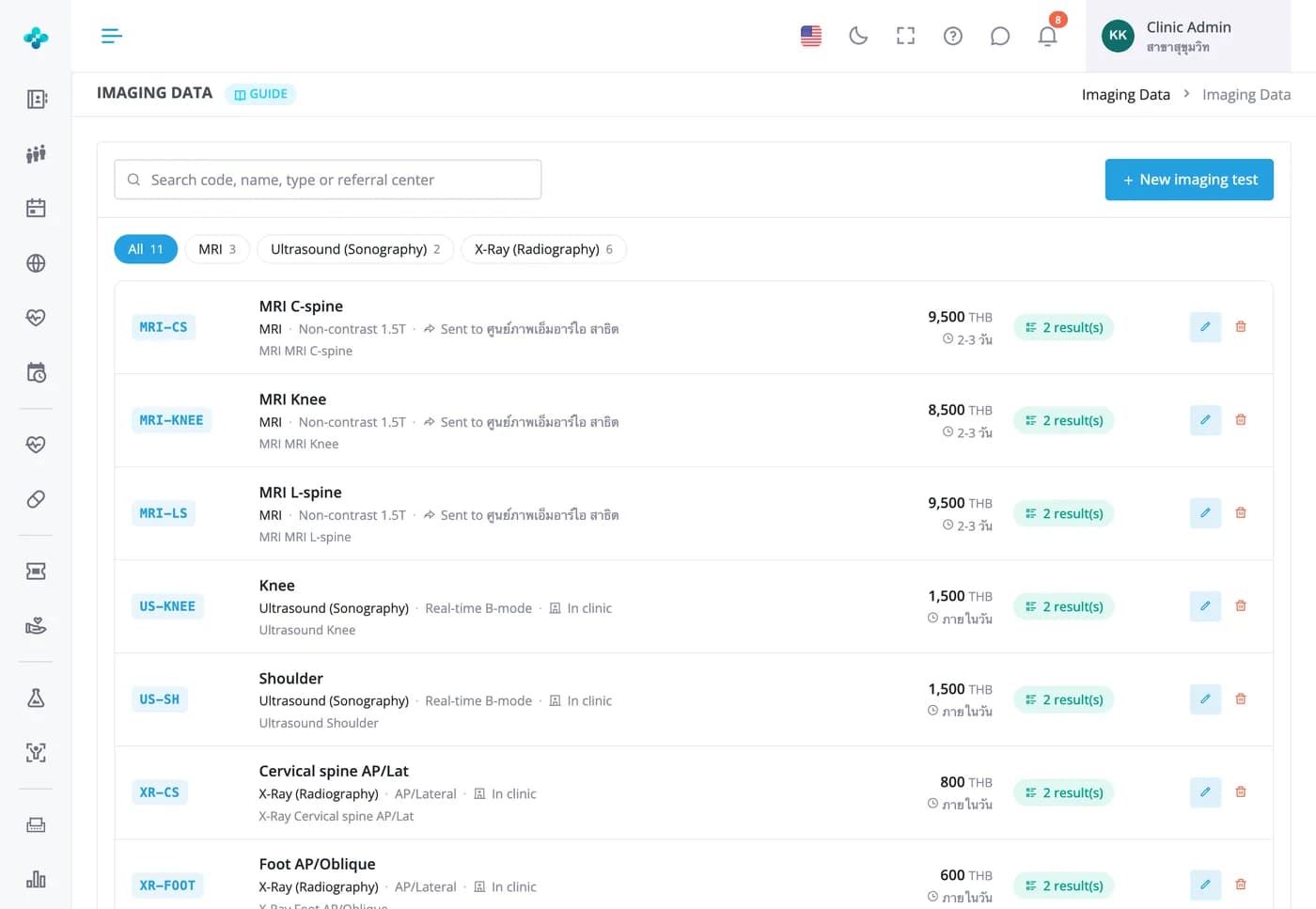
Build your branch's imaging list with prices, costs and result fields
Each item has a code, name, modality (X-ray, ultrasound, CT, MRI, DEXA or other), selling price, cost and turnaround time. Add result fields such as Findings and Impression. What you set up here is exactly what doctors see when they order.


Frequently Asked Questions
Whatever your clinic sets up in the branch's imaging catalog. Modalities include X-ray, ultrasound, CT, MRI, DEXA and other. You set each item's selling price and cost, and with a cost entered the system shows the profit per item.
No. MORRU HIS doesn't connect to imaging equipment or a PACS. Staff attach the image or report files in the result window, up to 50 MB per file, and the files count toward your plan's storage.
When staff mark the order Done, the ordering doctor gets an Imaging result ready notification on the bell. In the case's imaging tab the status changes to Done and a Result files button opens or downloads the files.
For types that have one, the doctor ticks the regions to scan as soon as they press +, and the form goes with the order. It isn't required, but if it's empty the system asks before sending whether to send anyway or go back and fill it in.
Yes. Press Print result on the case card in the imaging orders list. The report opens in a new tab, one page per imaging item, showing only the rows set to appear on the report. Print it or save it as a PDF from the print dialog.
Every plan: Free, Starter, Basic and Advanced. Image files count toward your storage quota, which varies by plan.