


Clinic staff and permission managementDecide who works at which branch, which menus they use, and where they can sign in
Add a staff member with their role and branches in one form, then fine-tune menu permissions per branch. Two-step verification is on every plan; device approval and clinic-network sign-in are on Advanced. Staff per branch: 2 on the Free Plan, 6 on Starter, 20 on Basic and unlimited on Advanced.
Try for FreeAdd staff & menu permissions
Pick a role and the menus for that job are switched on
Ready-made roles for doctors, nurses, reception, finance, lab and imaging, inventory and branch managers, each showing how many menus it opens. Tick the branches they can use, fine-tune menus per branch later, and copy their sign-in details to send straight away.
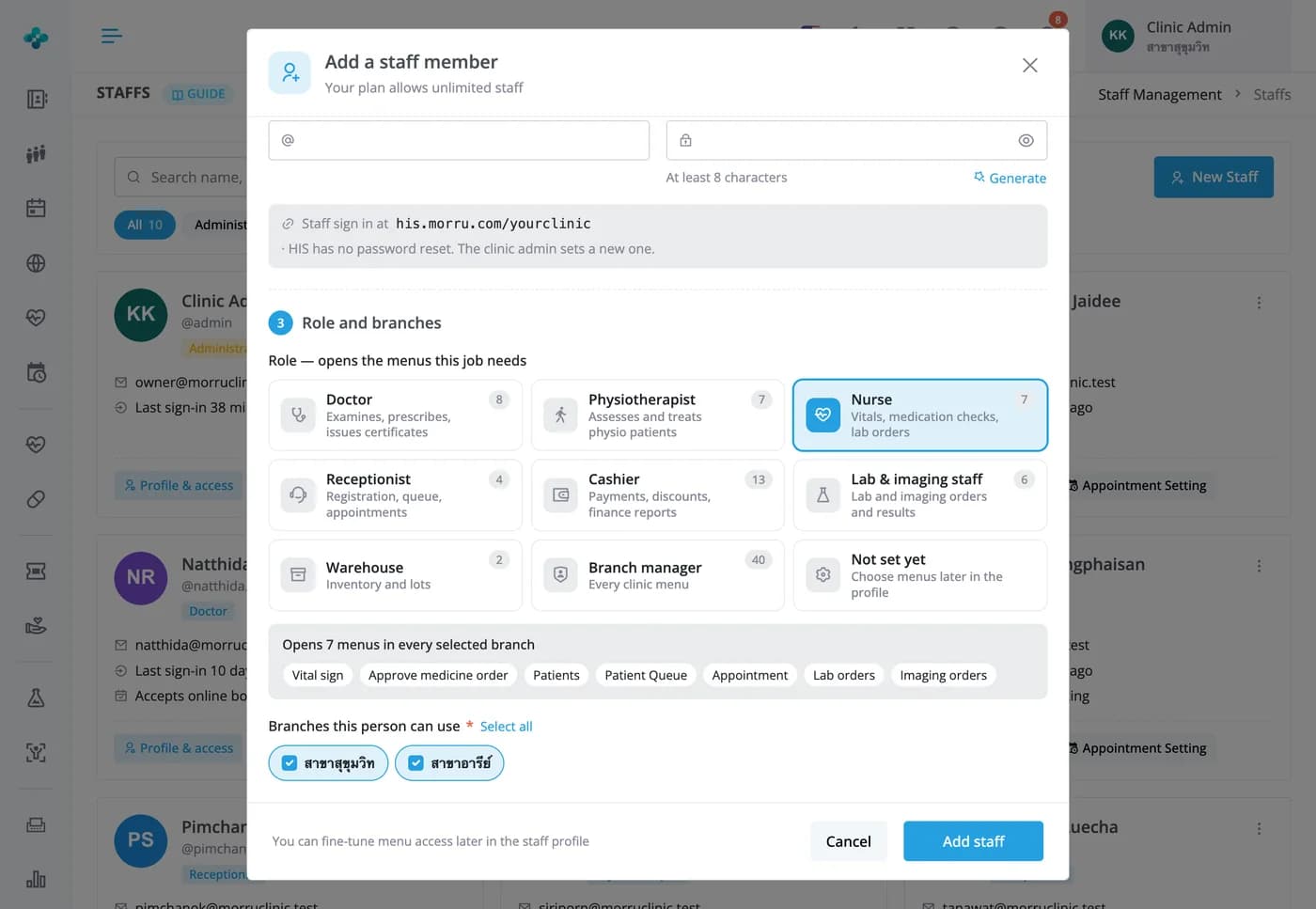

Decide who works at which branch, which menus they use, and where they can sign in
Add a staff member with their role and branches in one form, then fine-tune menu permissions per branch. Two-step verification is on every plan; device approval and clinic-network sign-in are on Advanced. Staff per branch: 2 on the Free Plan, 6 on Starter, 20 on Basic and unlimited on Advanced.
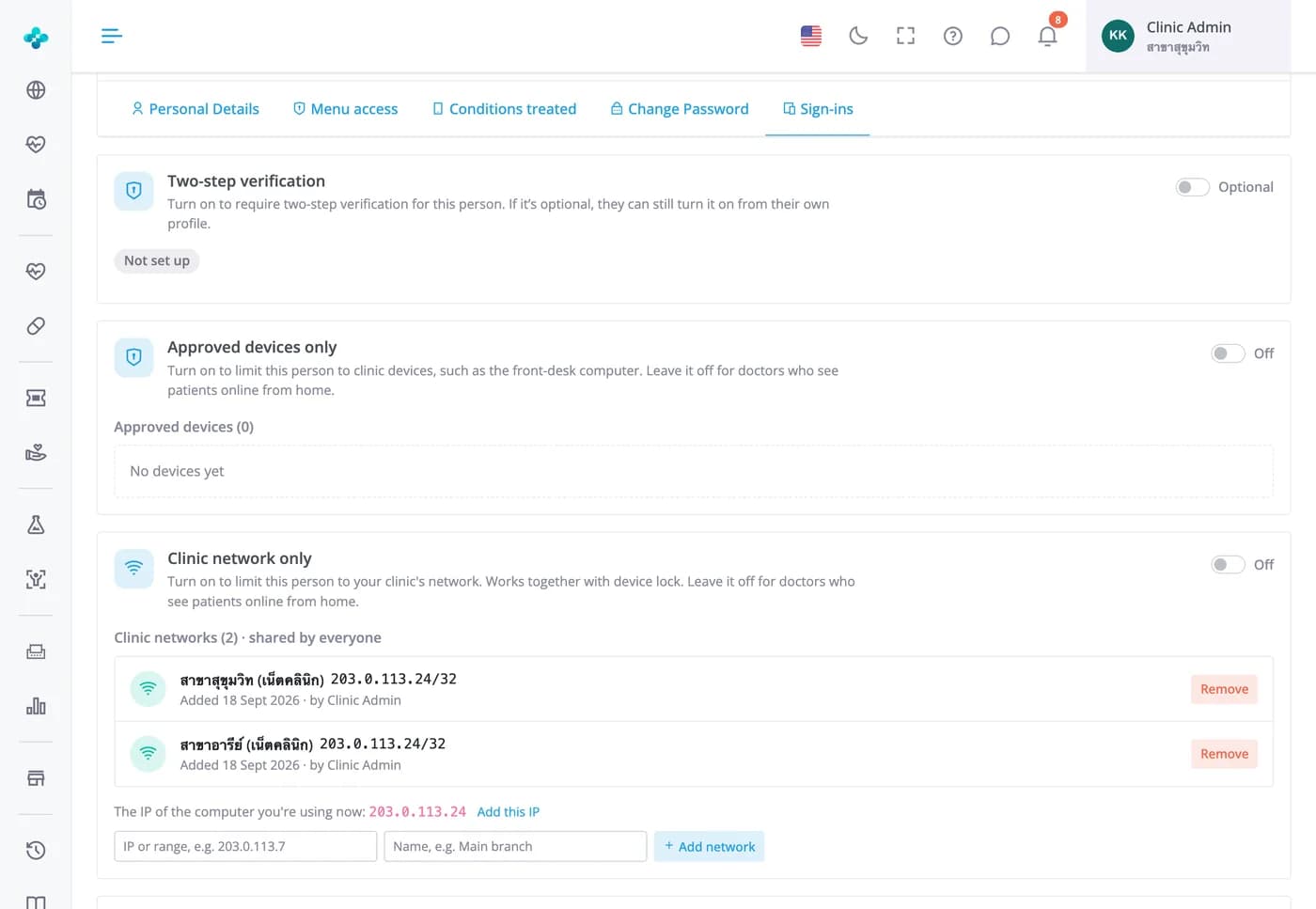
Sign-in security
Two-step verification, device approval and network limits, per person
Require a code from an authenticator app on any plan. On Advanced, limit someone to approved devices or your clinic's IP addresses, with new devices waiting for approval and a bell alert. The same tab lists where they're signed in and signs them out at once. Admins are never locked out.


Staff fees & commission · every plan
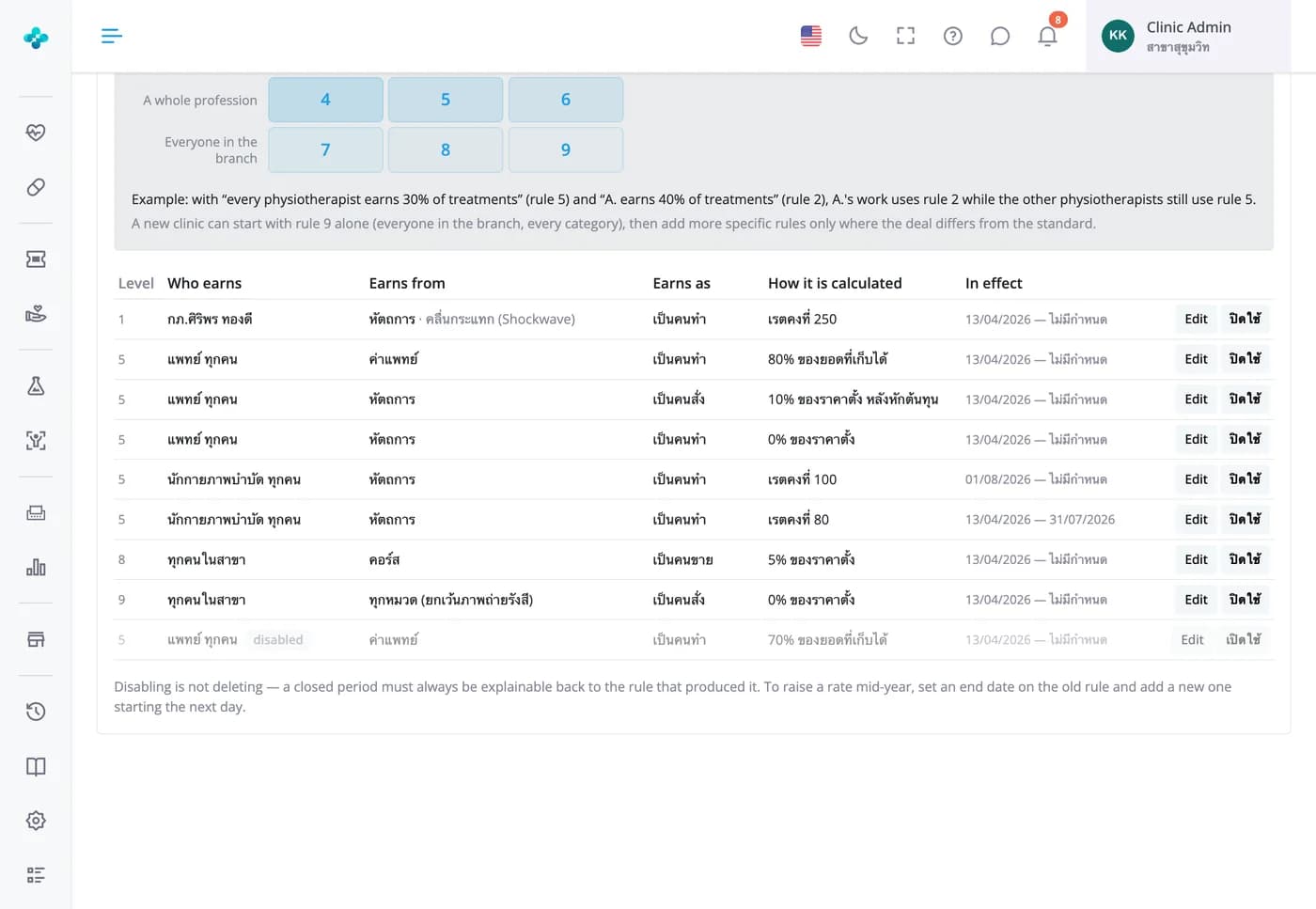
Set the rules once, and everyone's fees are worked out from real work
Pay for doing, ordering or selling, as a percentage, a fixed amount per unit or monthly tiers, with costs taken off first if you like. The more specific rule always wins. Close a period to lock the amounts before paying, and each person sees their own fees on the home page.

Frequently Asked Questions
It's counted per branch: 2 on the Free Plan, 6 on Starter, 20 on Basic and unlimited on Advanced, including admins. The top of the add-staff form shows how many you've used and how many are left.
Menu by menu, and separately for each branch. Start from a role, then tick menus on or off. Staff see the change on the next page they open. Only the clinic's admins can add, edit or remove staff and change permissions.
Two-step verification with an authenticator app is on every plan; staff can turn it on themselves or an admin can require it per person. Device approval and clinic-network sign-in are on Advanced. Seeing where someone is signed in and signing them out everywhere works on every plan.
An admin sets a new one in the Change password tab of their profile and passes it on. There's deliberately no self-service reset for staff.
Yes, under Front desk › Doctor timetable. Set weekly hours and open booking periods per branch, and choose how many patients a doctor can see at once (1–6). Reception and the app only offer free slots. The timetable is for doctors and therapists; there's no shift roster for other staff yet.
Yes, on every plan. The activity log has general, inventory and case histories, each entry showing when, what changed and who did it.